Preview environments for every branch, on your own server.
Spawner is an open source, self-hosted preview environment manager: a copy of your app for each git branch, built from its Docker Compose file, with its own URLs, database and logs. Developers and coding agents start one with a single command; reviewers open it from a link.
Free and open source (Apache-2.0). One Linux server, no Kubernetes.
- feat/
login Ready feat-login--blog. preview. example. com - fix/
checkout Building from a worktree, 2 uncommitted files - feat/
search-filters Ready feat-search-filters--blog. preview. example. com - main Sleeping main--
blog. preview. example. com
4 environments; 9 more fit on this server
A new environment in seconds
From a branch, or straight from your worktree with its uncommitted changes. One command, and the branch has its own URL and database: about 5 s once the project’s images are built.
$ spawner up --wait
Packing app: 9 files, 4.9 KiB
Creating feat-login in shop
Job cmuzritro003710o92x7ikd2x queued
preparing...
building...
routing...
Ready in 5s
feat-login (shop) is ready
  web  http://feat-login--shop.localtest.me
Expires in 72h. The URLs need a login; for curl or tests: spawner url feat-login --with-token
$ How it works
Spawner builds each preview environment (also called an ephemeral environment or a review app) from what the repository already has: its Docker Compose file, plus a short manifest.
-
Add
.spawner/to the repositoryspawner initwrites the manifest, which names the URLs and the seed, and a Docker Compose file to adjust. -
Start an environment
spawner upfrom a worktree, uncommitted changes included, or a branch from the dashboard. Spawner checks the compose file against its policy, builds and starts it on a network of its own, and runs the seed. -
Open it
Traefik routes
<env>--<project>.<domain>with HTTPS, behind your team’s login; guests get a share link. After 2 hours unused it sleeps, and the next visit wakes it up.
version: 1
project: example
exposures:
  - name: web
    service: app
    port: 3000
seed:
  - service: app
    run: [node, seed.js]
ttl: 24h
.spawner/spawner.yaml of
the Node.js and PostgreSQL example, next to a regular compose.yaml. Every key is in
the manifest reference.
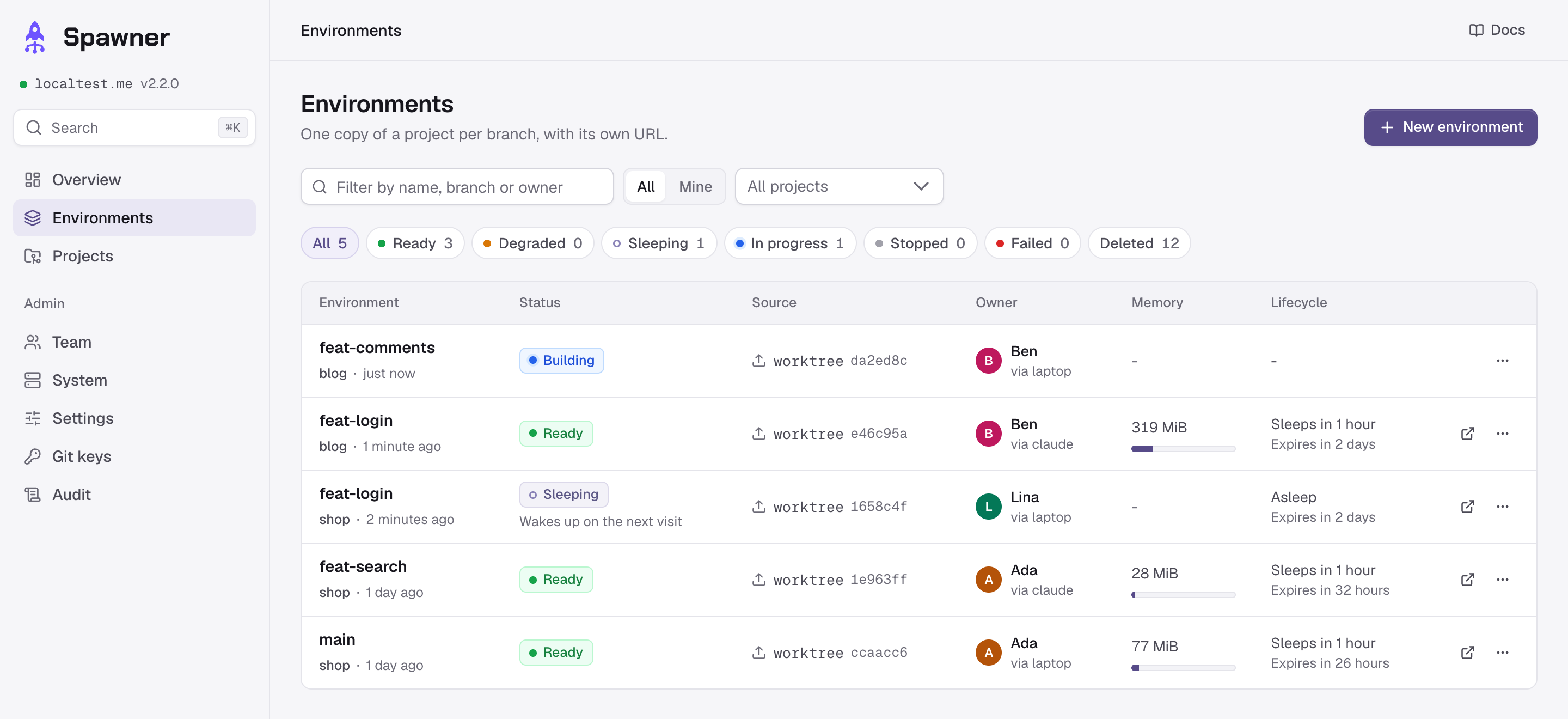
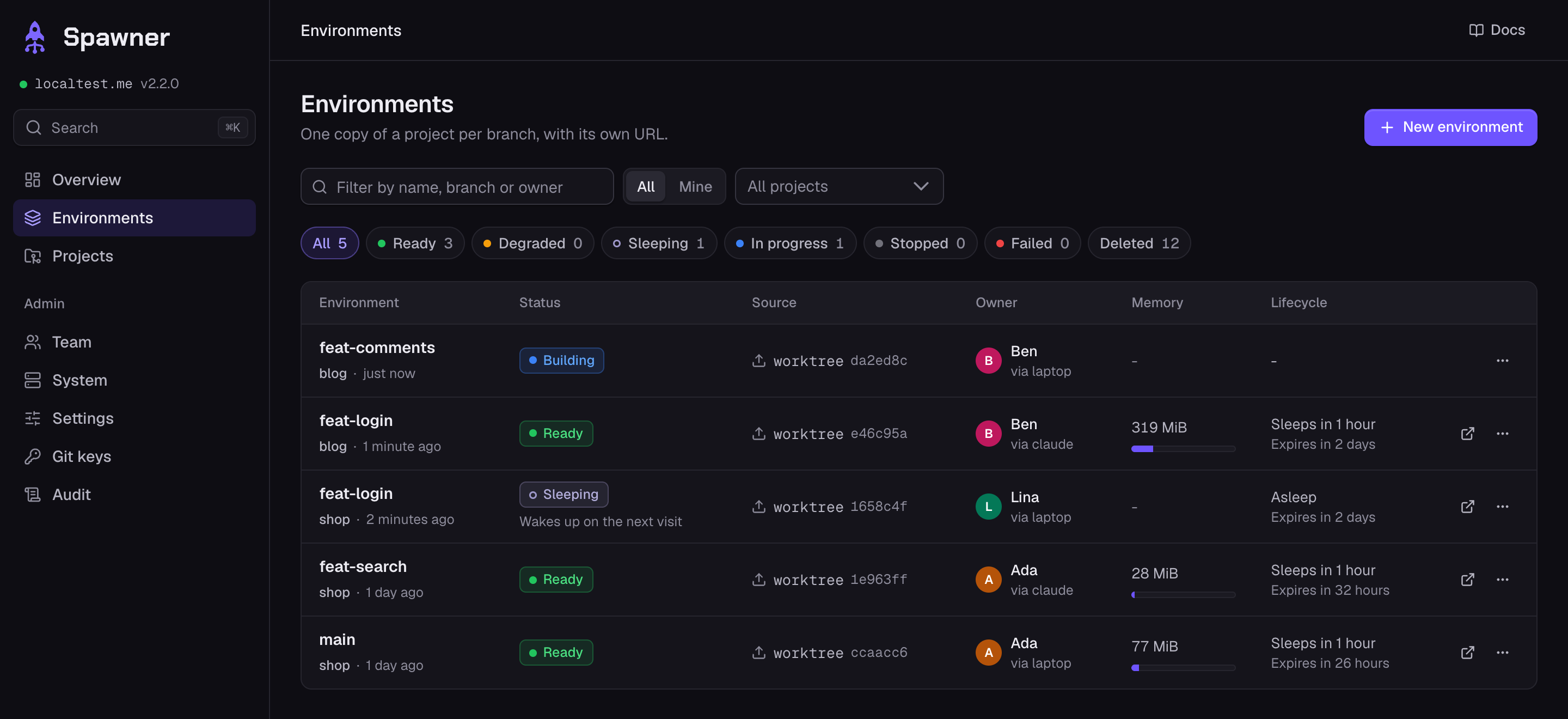
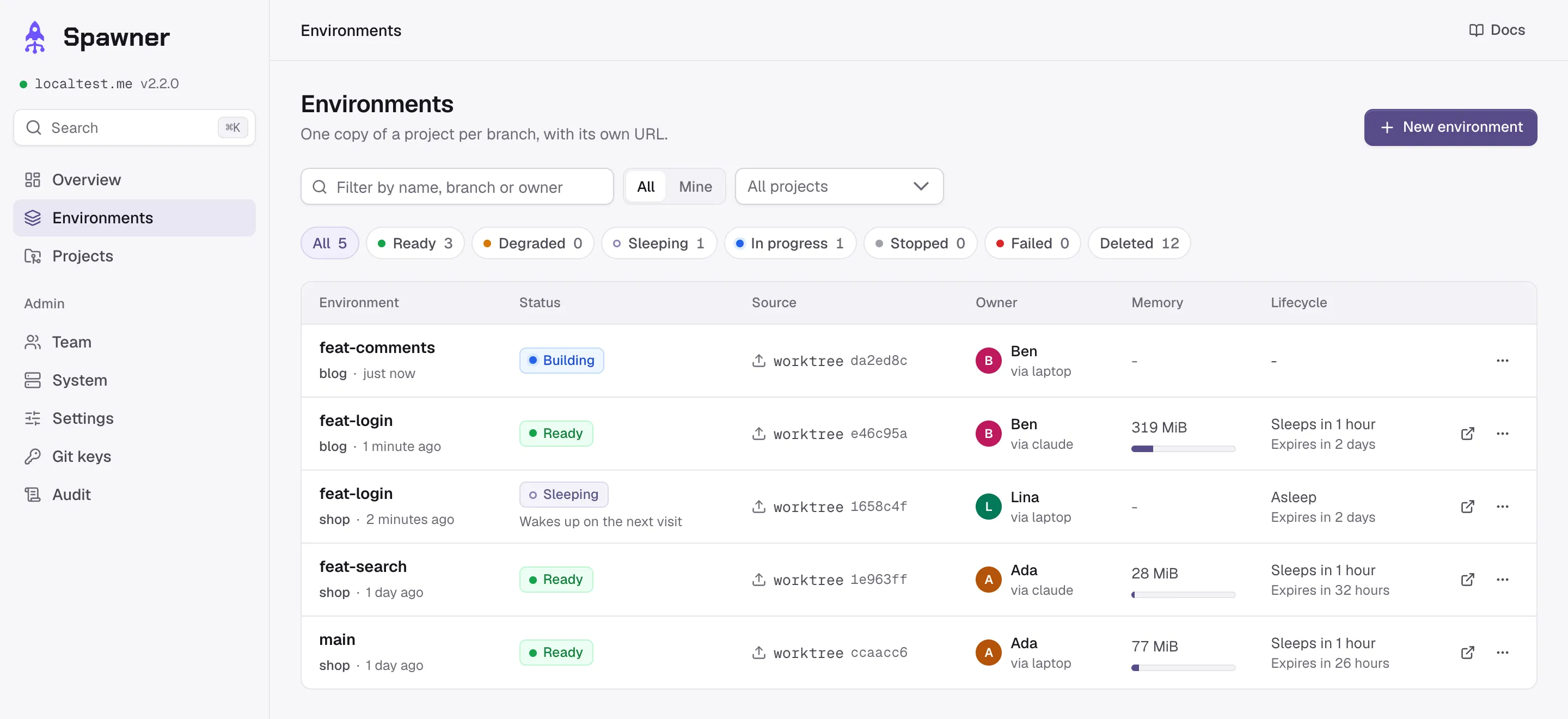
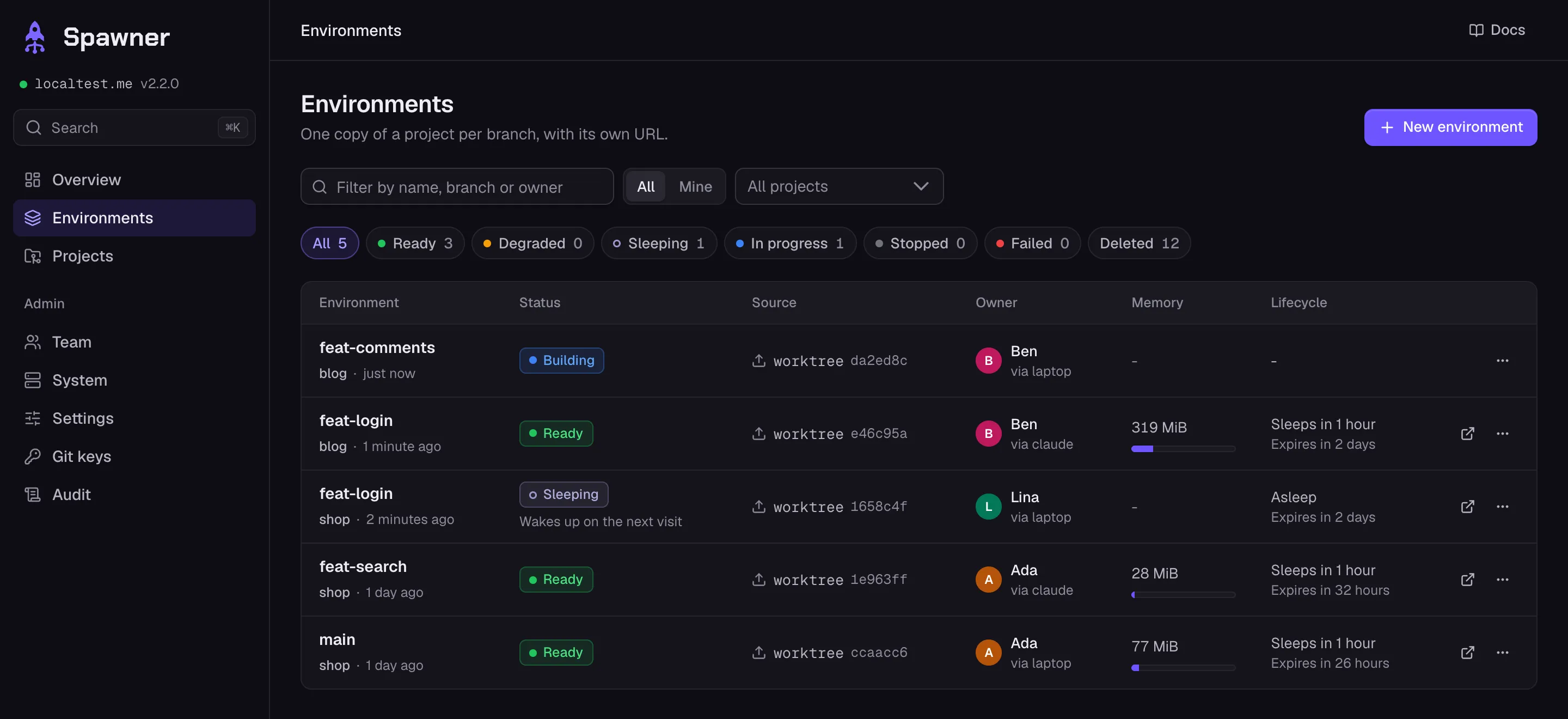
Every branch in one dashboard
Who started each environment, what it uses and when it sleeps. Each one has its logs with an error filter, its CPU and memory over time, a timeline of crashes, and a terminal into any service.
What Spawner does differently
- Previews of work nobody has pushed
-
spawner upspawner upsends the worktree, uncommitted changes included, so a developer or an agent tests a change before pushing it. Branches, tags and commits work too, from the CLI or the dashboard. - A CLI and an MCP server for coding agents
-
Commands print JSON with
Set up your agents--jsonand exit with codes an agent can act on: 4 when the environment failed, 6 when the quota or the capacity is reached, 7 when.spawner/was refused.spawner mcpgives Claude Code, Codex or Cursor nine tools, fromspawner_uptospawner_down. - One server, no Kubernetes
-
Docker Compose behind Traefik, on a Linux server of yours. Environments nobody uses for 2 hours sleep, and wake up on the next visit; Spawner measures what they really use and says how many more fit. The Laravel, Next.js and MySQL example runs in about 320 MiB.
Making environments cheap - Checked before it runs, protected once it does
-
Every compose file goes through an allowlist: no host mounts, privileged containers, host network or Docker socket. Each environment gets its own network, away from the cloud’s metadata and the server’s services, and its URLs need your team’s login; guests get a share link. Branches still run code nobody reviewed: give Spawner a server of its own.
What it protects, and what it leaves to you - Accounts without passwords
-
Invitations and passkeys, GitHub login if you want it, two roles, tokens with scopes and an expiry, and an audit trail of who did what.
Access
Frequently asked questions
Is it free?
Yes. Spawner is open source under the Apache-2.0 license and runs entirely on your server: there is no hosted service and nothing to sign up for. You pay for the server.
Does it need Kubernetes?
No. It needs one Linux server, dedicated to previews: Ubuntu 22.04 or 24.04, or Debian 12, on amd64 or arm64, with 4 GiB of memory at least (8 GiB or more advised), ports 80 and 443, and a wildcard DNS record such as *.preview.example.com. The installer sets up Docker; each environment is a Docker Compose project behind Traefik. See installing Spawner.
Can I get a preview for each pull request?
Not by itself: Spawner does not watch your git host. A CI job runs spawner up when a pull request opens and spawner down when it closes; the CI guide has the workflows for GitHub Actions and GitLab CI.
Which stacks does it run?
Anything Docker Compose runs: any language, databases as services, and apps spread over several repositories. Two examples are ready to deploy: Node.js and PostgreSQL; Laravel, Next.js and MySQL.
Is it safe to run branches nobody has reviewed?
Spawner checks every compose file against an allowlist (no host mounts, privileged containers, host network or Docker socket), gives each environment its own network, and keeps previews behind your team’s login. Containers cannot reach the cloud’s metadata or the server’s own services, but they share its kernel and reach the internet: use a server dedicated to previews, with test data only. See security.
How do coding agents use it?
With the same CLI as people: spawner up --wait --json from their worktree, then the URL, the logs and commands in the environment, with exit codes they can act on. Or through its MCP server, in Claude Code, Codex, Cursor or any MCP client. spawner init adds the instructions to AGENTS.md or CLAUDE.md. See coding agents.
Does Spawner send data anywhere?
No telemetry: Spawner sends nothing about your server, your projects or your people. Besides what you set up (git hosts, image registries, Let’s Encrypt and your DNS provider, GitHub login), a server makes one request on its own: the list of releases from api.github.com every 6 hours, which SPAWNER_UPDATE_CHECK=false turns off. The CLI talks to your server only (network).
Can it run production, or several servers?
No: one installation runs previews on one server, dedicated to them. What Spawner does not do lists its limits, and the comparison sets it next to other tools.
Install it on your server
Four steps from a fresh server to a first environment. The server: Ubuntu 22.04 or 24.04, or Debian 12, amd64 or arm64, 4 GiB of memory at least (8 GiB or more advised), ports 80 and 443.
-
Set up the server
On a Linux server dedicated to previews, with a DNS record such as
*.preview.example.compointing to it. The installer asks for the domain, an e-mail and your DNS provider, sets up Docker, and prints the link that creates the first admin account.curl -fsSL https://github.com/ Flosk6/ Spawner/ releases/ latest/ download/ install.sh | sudo bash Read the script before running it, or try Spawner in a local VM, without a domain.
-
Install the CLI and log in
On your machine, with Node.js 20 or later. Then run
spawner loginwith the dashboard’s address,spawner.preview.example.comfor that domain: it opens the dashboard, where you enter the code it shows.npm install -g spawner-cli -
Add the project
In the dashboard, an admin opens Projects, then New project: a slug, the repository, and for a monorepo the directory that holds
.spawner/. -
Start its first environment
In the project:
initwrites.spawner/(add--projectwith the slug if it is not the directory’s name),upstarts the environment of the branch.spawner init && spawner up --wait
The quickstart goes through each step. The latest release is Spawner 2.2.1: what changed.